Voxel modeling and animation, right in your browser.
VoxEdit Web is a free voxel editor and animator made by Hammy (Ricardo de Zoete). It is a Three.js web port of VoxEdit, the voxel editor and animator by The Sandbox. Open it at voxedit.xyz to model, rig, animate and export voxel art and game assets, with nothing to install and no account.
What you can do
Model with voxels
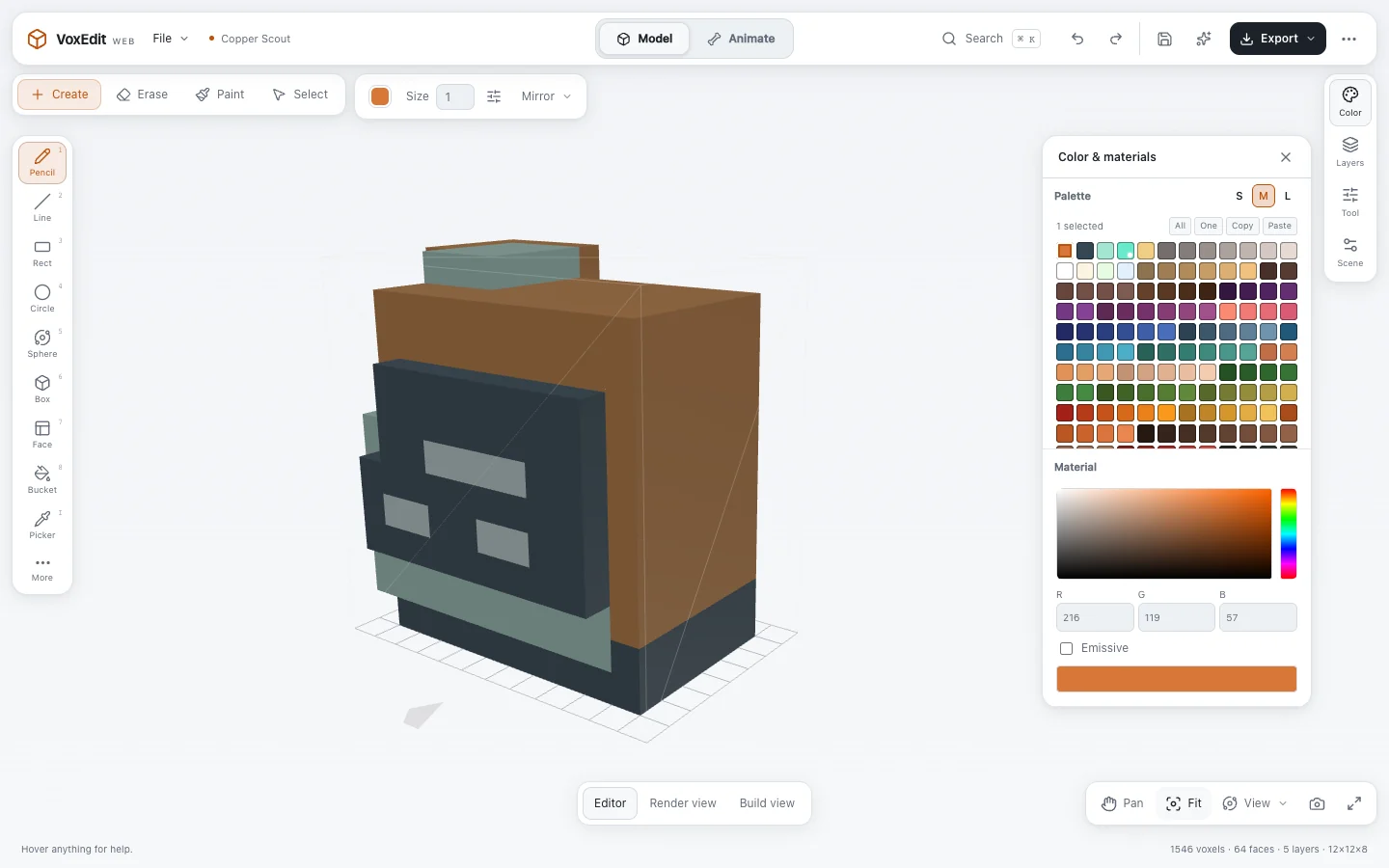
Create, erase, paint and select voxels with pencil, line, rectangle, circle, sphere, box, face and bucket tools, a color picker and mirroring. Work in layers with palettes, emissive materials and reusable voxel parts, on canvases from 8³ to 128³ that you can resize later.
Rig and animate
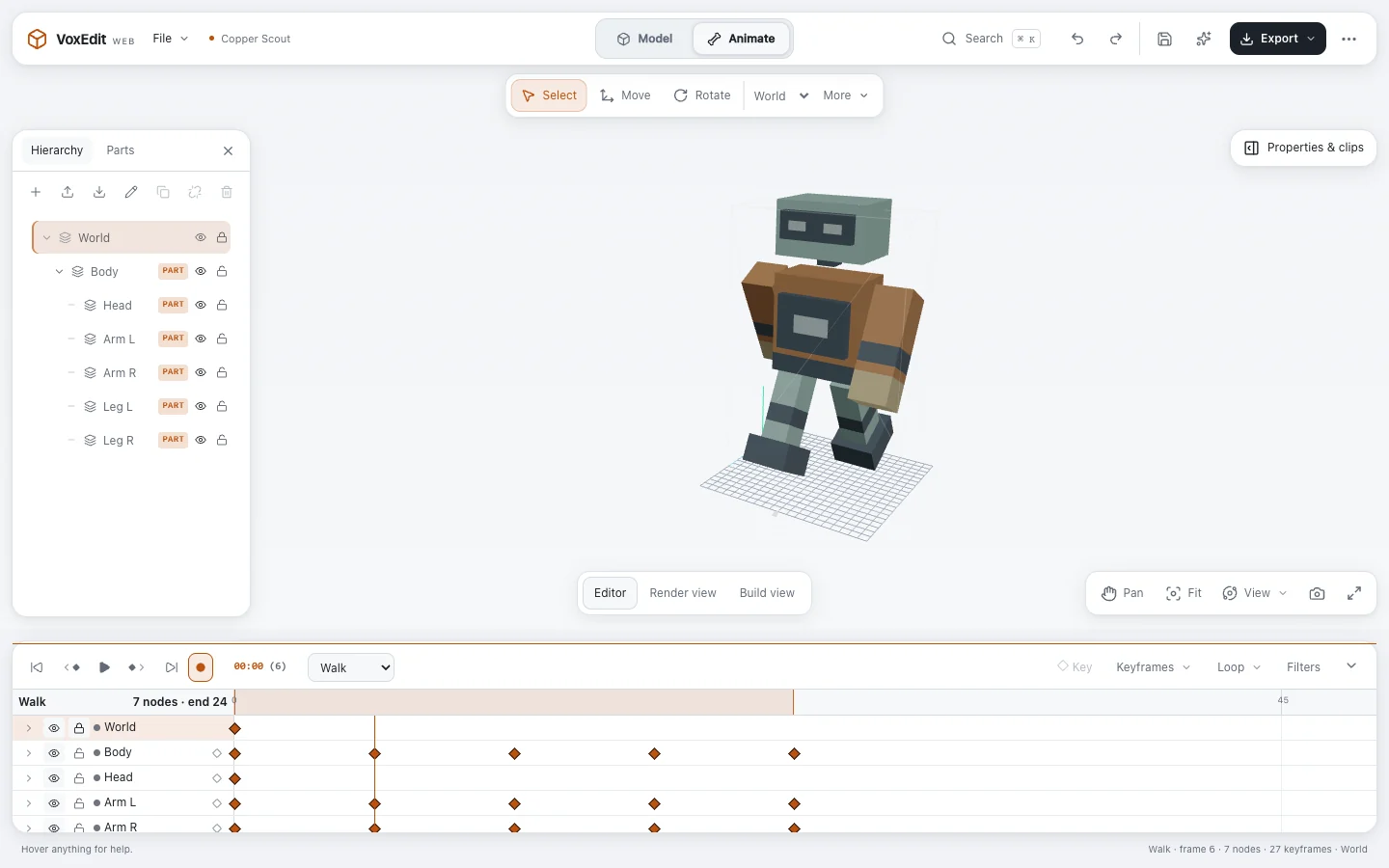
Start from a rig: small, medium or large humans, a large equine, a spider, equipment such as helmets, chest pieces, blades and shields, or an empty rig. Attach voxel parts, key them on a timeline, edit animation curves, pose limbs with IK and review motion with pose sheets and loop checks.
Present your work
Render view adds studio, sunset and midnight lighting with soft shadows and a seamless floor. Build view drops the voxels into place with a playful bounce. Export H.264 MP4 turntables, animations and build videos at up to 1080p.
Open and export files
Open and save VoxEdit and MagicaVoxel files: VOX, VXM, VXR, VXA and VXB. OBJ, glTF and GLB imports are voxelized. Export GLB with shared geometry and materials, glTF, OBJ, COLLADA, VOX and native VoxEdit files. See supported formats.
Work with AI agents
Agent studio offers WebMCP site tools, so a browser agent can model, rig, animate, inspect and export in the document you have open. Agents can build a complete animated asset in one validated request and one undo step. See WebMCP agent workflows.
Keep it in your browser
Projects and recovery points stay in your browser until you export them, and there is no account. The site counts visits without cookies.
How to start
- Open voxedit.xyz and choose Start creating. Name your project, pick a canvas size and choose Create model. To continue existing work, choose Open a project.
- In Model, pick a tool from the toolbar and a color from Color & materials, then click or drag in the viewport. Alt + drag orbits, the scroll wheel zooms and F fits the model.
- Choose Start an animation to pick a rig, or switch to Animate to arrange parts and set keyframes on the timeline.
- Switch to Render view or Build view to present your model, then use Export for GLB, VOX, MP4 and more.
- Press ⌘ / Ctrl K in the editor to find any tool, panel or export by name.
About the maker
Made by Hammy (Ricardo de Zoete)
VoxEdit Web is designed and built by Ricardo de Zoete (Hammy), a designer and creative developer in the Netherlands, as a Three.js web port of VoxEdit by The Sandbox. For low-poly polygon modeling, sculpting and UV painting in the browser, explore its sibling app MeshEdit.
This is a distinct web port, not the original Java desktop application; “VoxEdit” and “The Sandbox” belong to their respective owner.
Questions and answers
Is VoxEdit Web free?
Yes. VoxEdit Web is free to use in your browser. There is nothing to install and no account to create.
Is VoxEdit Web the VoxEdit desktop app?
No. VoxEdit Web is a distinct web port by Hammy of VoxEdit, the voxel editor and animator by The Sandbox. It aims to stay compatible with the files and workflows of the VoxEdit Beta desktop app, but it is not the original Java desktop application. “VoxEdit” and “The Sandbox” belong to their respective owner.
Which files can VoxEdit Web open and export?
It opens and saves VoxEdit and MagicaVoxel files: VOX, VXM models, VXR rigs, VXA animations and VXB blocks, as well as rig folders with their companion files and its own .vxm.json projects. OBJ, glTF and GLB files are voxelized when you import them. Exports include GLB, glTF, OBJ, COLLADA (.dae), VOX, native VXM files and rig bundles, and H.264 MP4 video at up to 1080p.
Where are my projects saved?
In your own browser. Recent files and recovery points stay on your device, and File → Project recovery restores your work after a reload. Export a project file for a portable backup. File compatibility with the desktop app is a work in progress, so keep backups of your original projects.
Can AI agents use VoxEdit Web?
Yes. In a browser that supports WebMCP site tools, such as Codex’s built-in browser, VoxEdit Web registers voxedit_* tools. An agent can use them to inspect the scene, model voxels, build rigs, animate, take screenshots and export files in the same document you have open. Human and agent edits share one undo history, and there is no server to install, no port and no pairing token.
What do I need to run VoxEdit Web?
A current web browser with JavaScript and WebGL 2. There is no plug-in, download or sign-in.
Can I model polygons in VoxEdit Web?
VoxEdit Web focuses on voxels. Polygon modeling, sculpting and UV work live in its sibling app, MeshEdit. Older mixed projects with polygon parts still open in VoxEdit Web for playback and export.
Who made VoxEdit Web?
Hammy, the maker name of Ricardo de Zoete, a designer and creative developer from the Netherlands. His other tools, games and design work are at hammy.studio.